3D Pop
The person steps out over the frame. Tap the photo, then 3D Pop.
Lifting a subject out of a photo, blurring a background or placing words behind someone all need the app to understand what is in the picture. That understanding happens on your device, and nothing is sent away to make it work.
The app uses Apple Vision, built into iPhone and iPad, to find the person or pet in your photo and lift them onto their own layer. Everything else in the app can then go behind them, around them or in front of them.
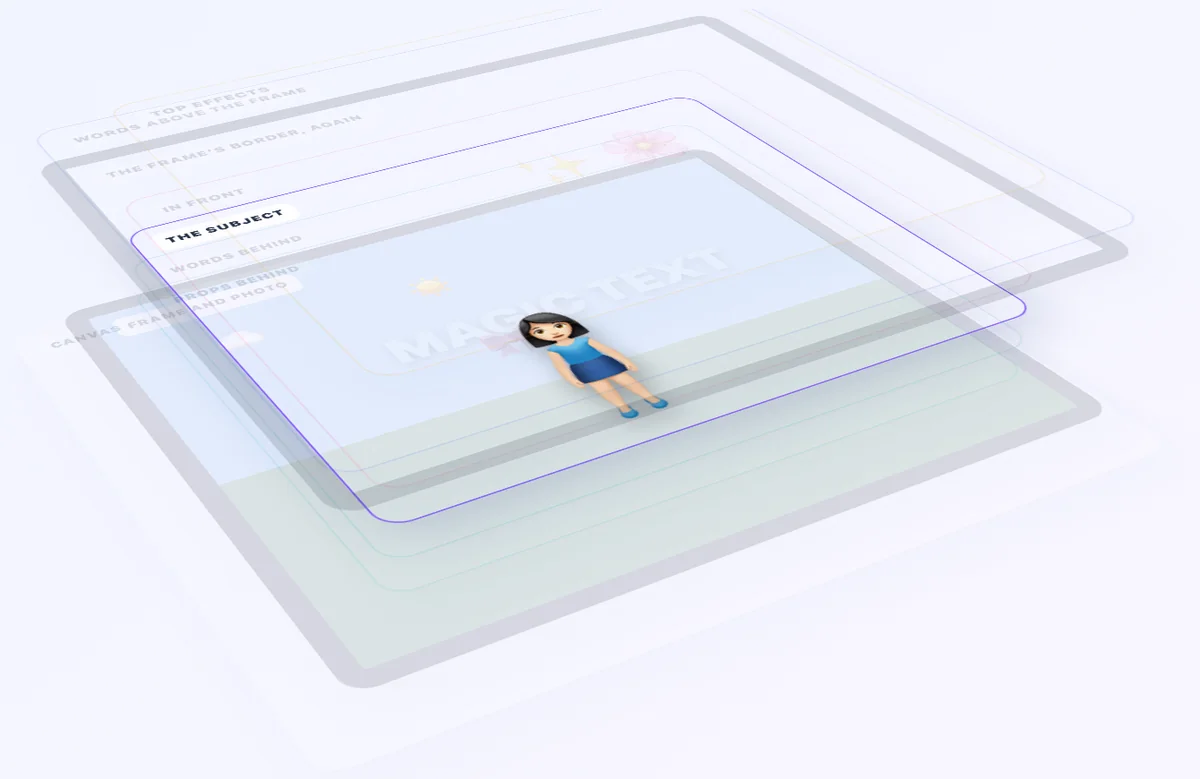
The person steps out over the frame. Tap the photo, then 3D Pop.
A caption sits behind the person, like a magazine cover. Choose Place behind subject.
BG Blur, Cutout or No Subject, in Studio under Background.
All of it runs on your device. It works offline, and nothing about your photo is sent anywhere. The app finds the subject once and keeps it, so changing a filter or a frame colour does not make it look again.
A landscape, a busy crowd or a plain wall may have no one to lift out. The app says so instead of inventing a cutout, switches off only the effects that need a subject, and everything else keeps working.
| Usable subject | Requested outcome | Expected behaviour | Status |
|---|---|---|---|
| Yes | 3D Pop | Use the subject cutout and permit overflow into reserved matte clearance. | Supported |
| Yes | Text behind subject | Compose behind text below the subject and front content above it. | Supported |
| Yes | Portrait Blur | Keep the subject sharp and blur the background plate at the strength you choose. | Supported |
| No | Subject-dependent effect | Do not fabricate a cutout. Explain or safely disable the unavailable outcome. | Fallback |
| Not required | Original background | Continue through the original-image path without unnecessary segmentation. | Bypass |
Written as a business analyst would: the purpose, the rules, the quality expected and the acceptance criteria that the tests check.
The capability allows the product to blur or remove a background, lift a subject through the frame, place words behind it, and reuse the same creative structure during export and recovery.
Tap the photo and choose 3D Pop. For a background option such as BG Blur, open Studio and choose Background. The app finds the foreground subject on the device and creates a reusable cutout you can pop out of the frame or place text behind.
Yes. Scene understanding and subject separation run locally using Apple Vision, so they work offline and nothing about your photo leaves the device.
The app tells you rather than inventing a result. Subject-dependent effects explain themselves or switch off safely, and the rest of your composition continues to work.